Tuesday, October 13, 2015

October Makerspace Challenge Update: Entries for the Lego Car Challenge and Winner

Here are some videos of the rubber band powered Lego cars that my students have made from last week. 


The winning car below!


Our next challenge for this week is for a student to use a Makey Makey and design a functional keyboard using non-traditional keyboard components.  The first students to accomplish this, win free pizza!  

Monday, October 5, 2015

October Makerspace Challenges

Starting this month, we are doing weekly and monthly challenges. 

The month long challenge will be: using a 16x32 LED board, program a face for a LED Jack-O-Lantern. Students will be able to program this with either their Lenovo or a Raspberry Pi. Students will also carve out a pumpkin, and then place their LED board into the pumpkin and light it up.

October 5th - 9th: rubber band powered Lego car.  Students will only use Legos and rubber bands to make their creations go! The car that goes the farthest wins the challenge.

October 12th - 16th: Makey Makey challenge. The first group of students to make the Makey Makey keyboard out of organic materials wins the challenge.

October 19th - 23rd: 3D print a Jack-O-Lantern. The 3D printed pumpkin must have a face! The coolest and most creative design wins! Prints are limited to 4in x 4in x 4in.

October 26th - 30th: candy corn catapult challenge! Using only popsicle sticks, plastic spoons, and rubber bands, the students who can launch the candy corn the farthest wins the challenge!

I am really looking forward to the upcoming month! I think the challenges will really bring out some fantastic creativity in the kids.  And, to help incentivize this for the students, the winners of the challenges will earn an off-campus lunch at Cici's Pizza!

Tuesday, September 29, 2015

3D Printing, Taking Off!!!

We're just a little over a month into school now, and the Makerspace is really starting to bring students in! Of course, the big attraction thus far has been the 3D printer, and my students are 3D printing like crazy! It has been a very rewarding experience thus far, seeing the students hold their creations, has really allowed for some excellent hands-on learning to take place. In addition, teaching the students how to use the printer, and now allowing them to use the printer when I am not around is fantastic, we have had no issues thus far. The students are taking the privilege very seriously, and are designing some great things. 

While I encourage completely authentic prints, I have allowed them to use templates to create their 3D prints, but the caveat is that they must make it their own, they are not simply allowed to print someone else's design, they have to tinker it and make it their own, then they can print it.

Here are some pictures and videos of what the students have been creating:


Starting next week, will be our October challenges! Stay tuned for the monthly and weekly challenges.

Tuesday, September 8, 2015

Robotics and 3-D Printing

The first challenge of the semester that we posted for the students was to get a robotic car up and running, and the first student to do so wins a Subway lunch combo on Mr. Kern, our CIO and Director of Modern Learning.

Sure enough, within the first two weeks of school, we had a student complete the challenge and win! My student, David, built an operational robotic car using GoPiGo components, a Hummingbird Duo board, and programmed it using Python software.

Here's a video of the car going!


ALSO........

We received our (loaner, ours should come in bout 4-weeks) 3-D printer last week and put it to good use!  The students are extremely excited about the printer and I have a HUGE que of student items waiting to be printed!  We are using a PolyPrinter 229, and thus far it has been working wonderfull.

Over the first few weeks, I had the students check out the 3-D printing design website TinkerCad. I posted a challenge for the students on the windows of the Makerspace, to design a brand new logo for our Makerspace. Each entry will have their 3-D designs printed, we will vote on the best design, and the winner will enjoy a snack pack bucket from me!


I'll post pictures of the prints as we print them.  It is an exciting time to be an Oakridge Owl!

Thursday, August 27, 2015

Starting the Year

We've started another school year! Seems like the summer just flew right on by. I'm excited to start the new school year, as we now have a brand new #Makerspace at Oakridge!


As you can see, my students were busy at work on the first day, checking out the new space, opening up boxes of Arduino kits, Go Pi Go kits, robotics parts, etc.  We have even ordered a new 3D printer from PolyPrinter, and the kids and I can't wait to get this in the Makerspace and start creating things!

I even have many students who are interested in coding, starting from the basics of coding, and I'm having them use Codeacademy.com. Many of the students were interested in building a website from scratch, so I had them start that module, others, interested in programming Raspberry Pis or Arduino robotics are starting the Python module.

It is an exciting time to be an Oakridge Owl!  Much more to follow as the year goes on and the kids build some fun, exciting, and creative new things!

Wednesday, May 6, 2015

More With Raspberry Pi

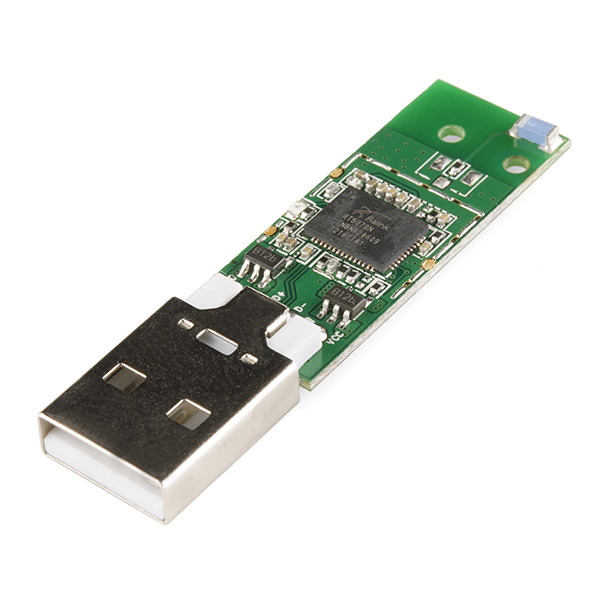
Now that we've had the Raspberry Pi for a week and half, we received the wifi dongle for it.


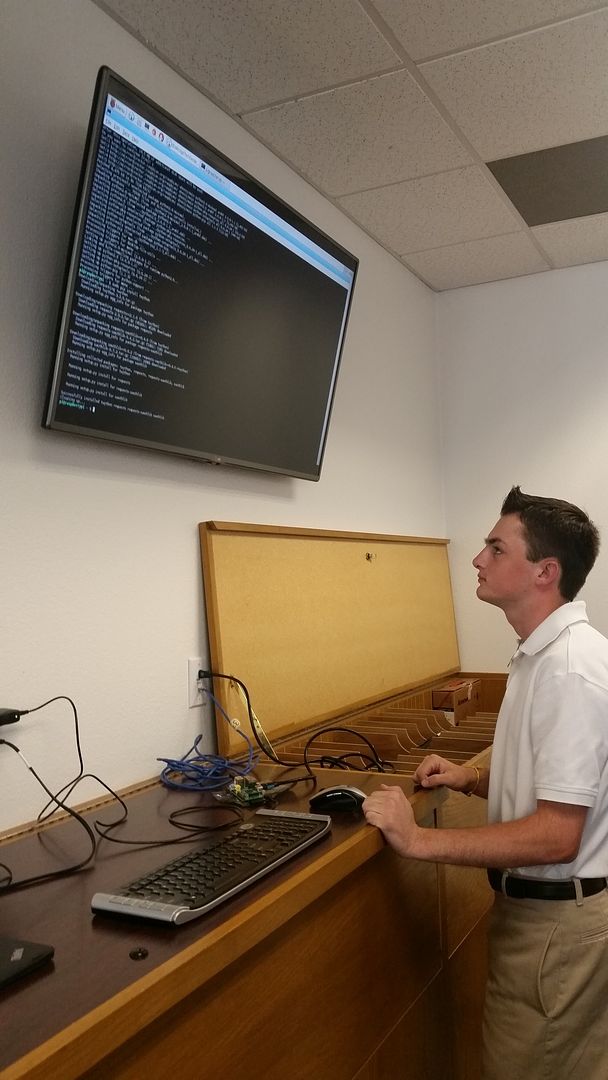
We connected the wifi dongle yesterday, and started to program it, only to come up with some network errors. While this set us back a little, I am using this as a teaching moment; the students are learning that not everything goes as smoothly as you would like the first time around with things, and I am having them do some searching on the internet to figure out how we can fix the errors that we got (I am also doing my own research).  We're using a Linux based system to program the Raspberry Pi, which is a little different from what we're used to with Windows.  For every challenge, there is a great learning opportunity, and this is giving the students experience with an operating system other than Windows or Mac OS.

After we figure out where we went wrong, we are going to be building a Tweeting weather station with the Raspberry Pi.  I think that this will be a fun project for the students, and they are enjoying the hands on approach, getting to program and write code.

The other very valuable lesson that the students are learning, but one I'm sure they would prefer to skip over is the value of patience!

Tuesday, April 28, 2015

Using the Raspberry Pi

We've just started using the Raspberry Pi this week. Yesterday, I had all 5 periods send out a tweet via the Oakridge Tech Center Twitter feed using the Raspberry Pi and Python.

We watched this video and followed along:


My students were successful in programming and getting the Tweets out!


My students were pretty excited to get to use the Raspberry Pi. Up next is getting the Tweeting weather station going, but first we need to solder a couple of very small pieces of technology together.